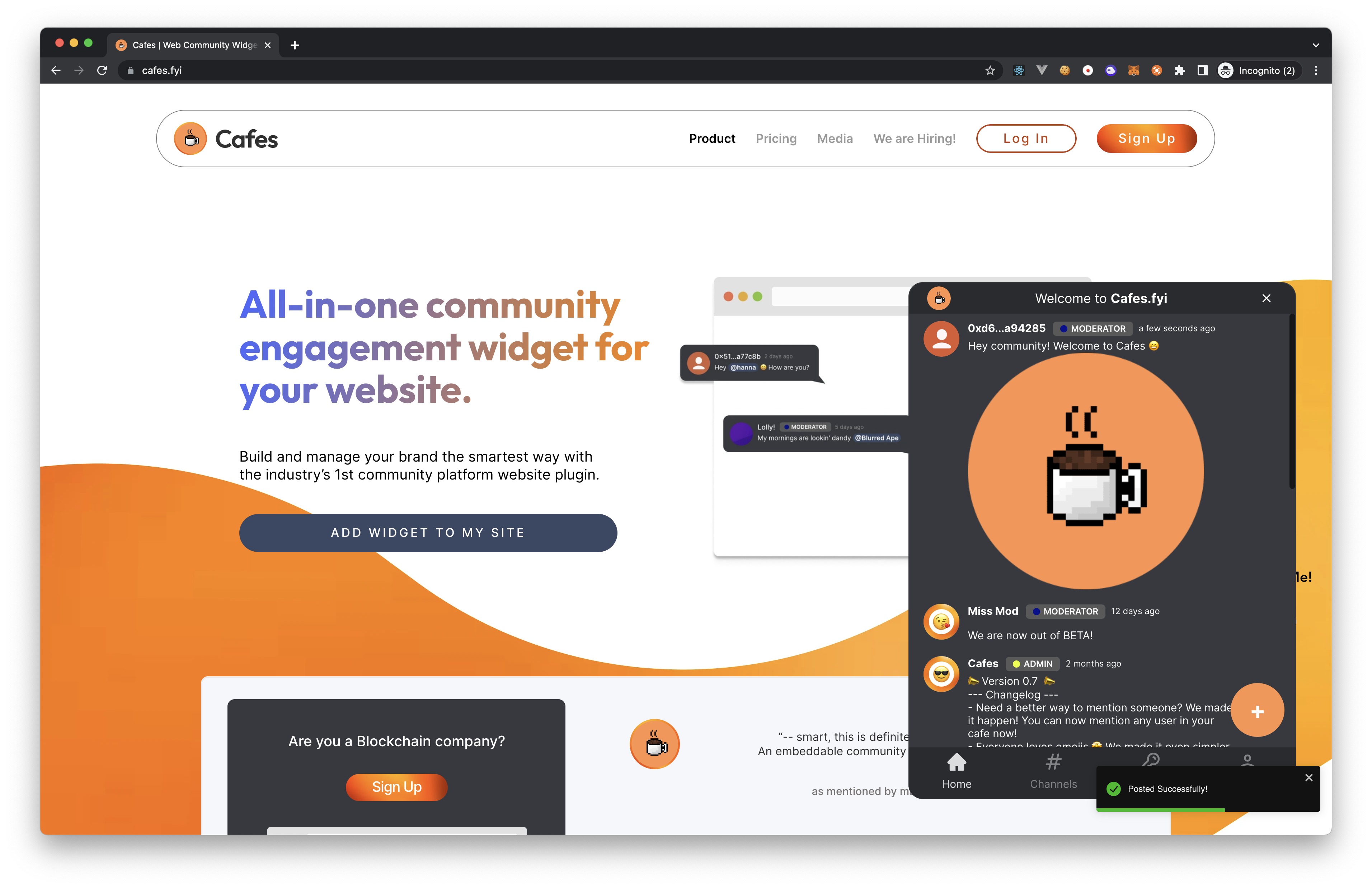
How to post in your cafe?


caution
You will need to be a moderator or admin of the cafe to post in the cafe.
Login to your cafe. If you are not sure how to login to your cafe, check out the How to login to your cafe? guide.
Head over to the
Hometab in your cafe via the bottom navigation bar.If your a moderator or admin, you will see a giant
+button on the bottom right corner of your cafe. Click on the+button to open the post composer.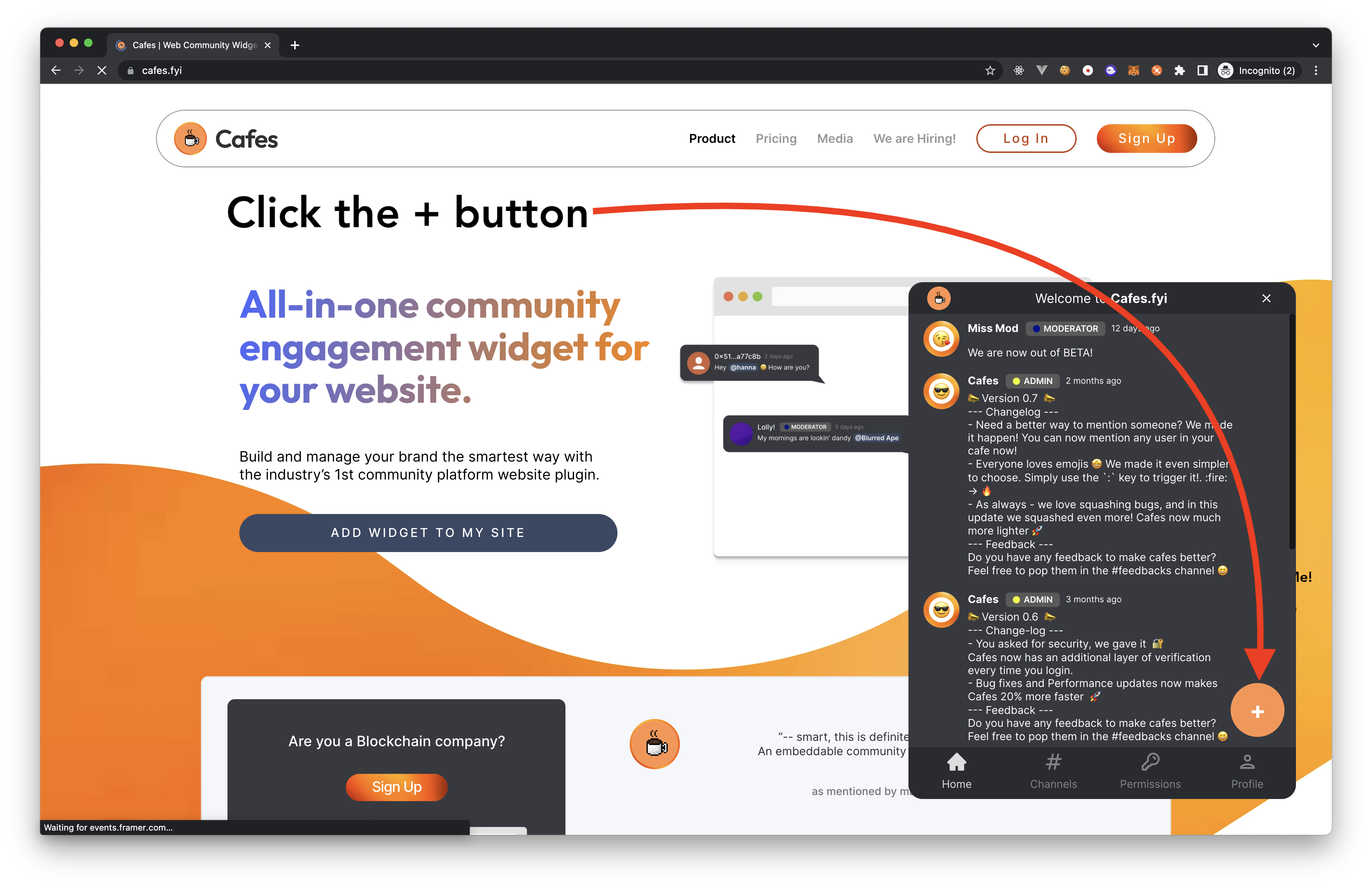
You can now start writing your post. You can add images, links, and even emojis to your post. Get your creative juices flowing!
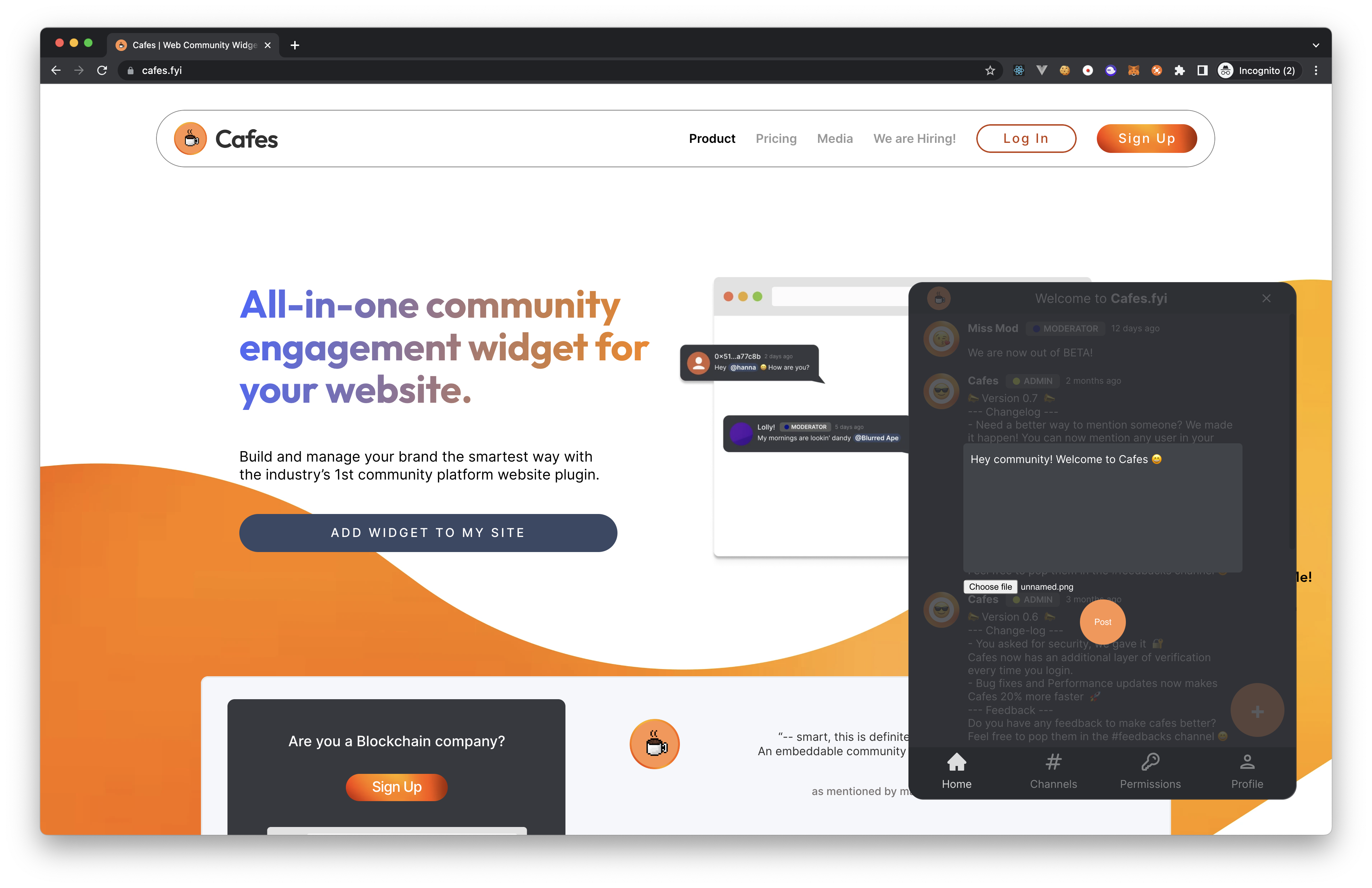
Once you are done writing your post, click on the
Postbutton to publish your post. Voila! Your post is now live in your cafe.