How to create a new channel?


Cafes allows you to create different channels within your cafe to allow your community to discuss different topics.
The number of channels you can create is limited by your subscription plan. You can check our pricing page to see the number of channels you can create with your subscription plan.
The number of channels you can create is limited by your subscription plan. You can check our pricing page to see the number of channels you can create with your subscription plan.
Login to your cafe. If you are not sure how to login to your cafe, check out the How to login to your cafe? guide.
Head over to the
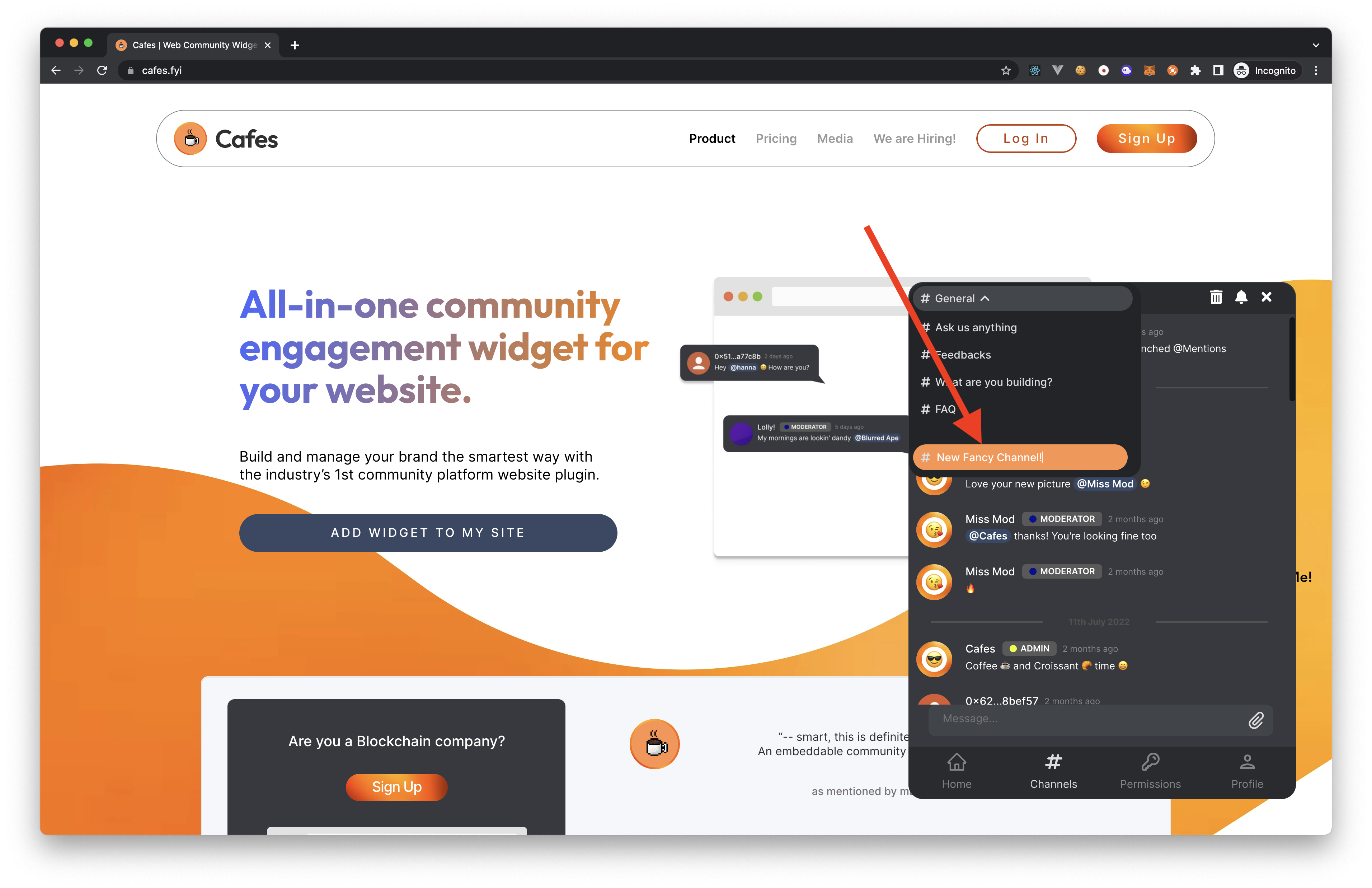
Channelstab in your cafe via the bottom navigation bar.Click on the current channel name in the top bar of your cafe to open the channel list. If you're a moderator or an admin, you will see a
#new-channelfield at the bottom of the channel list.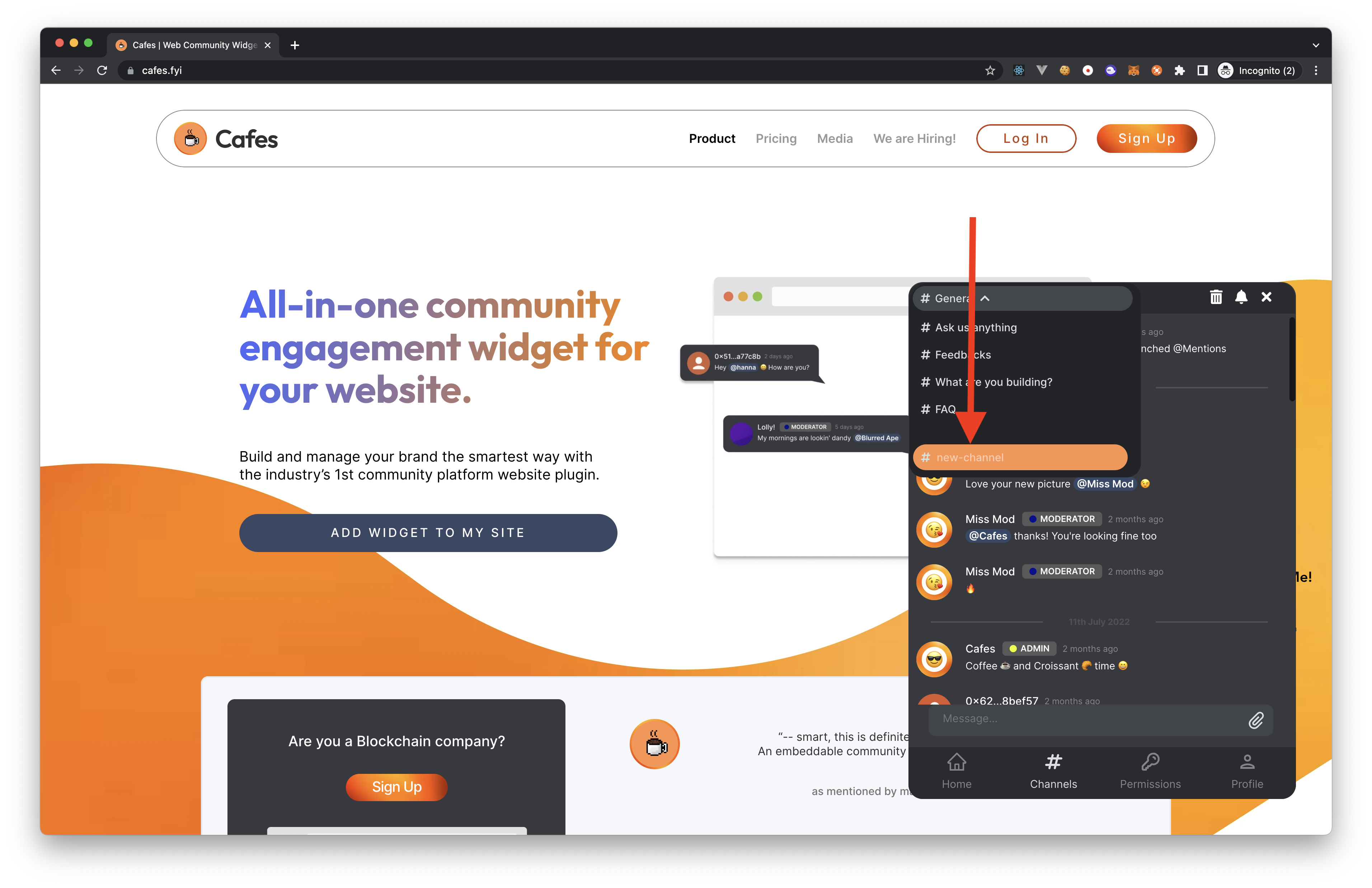
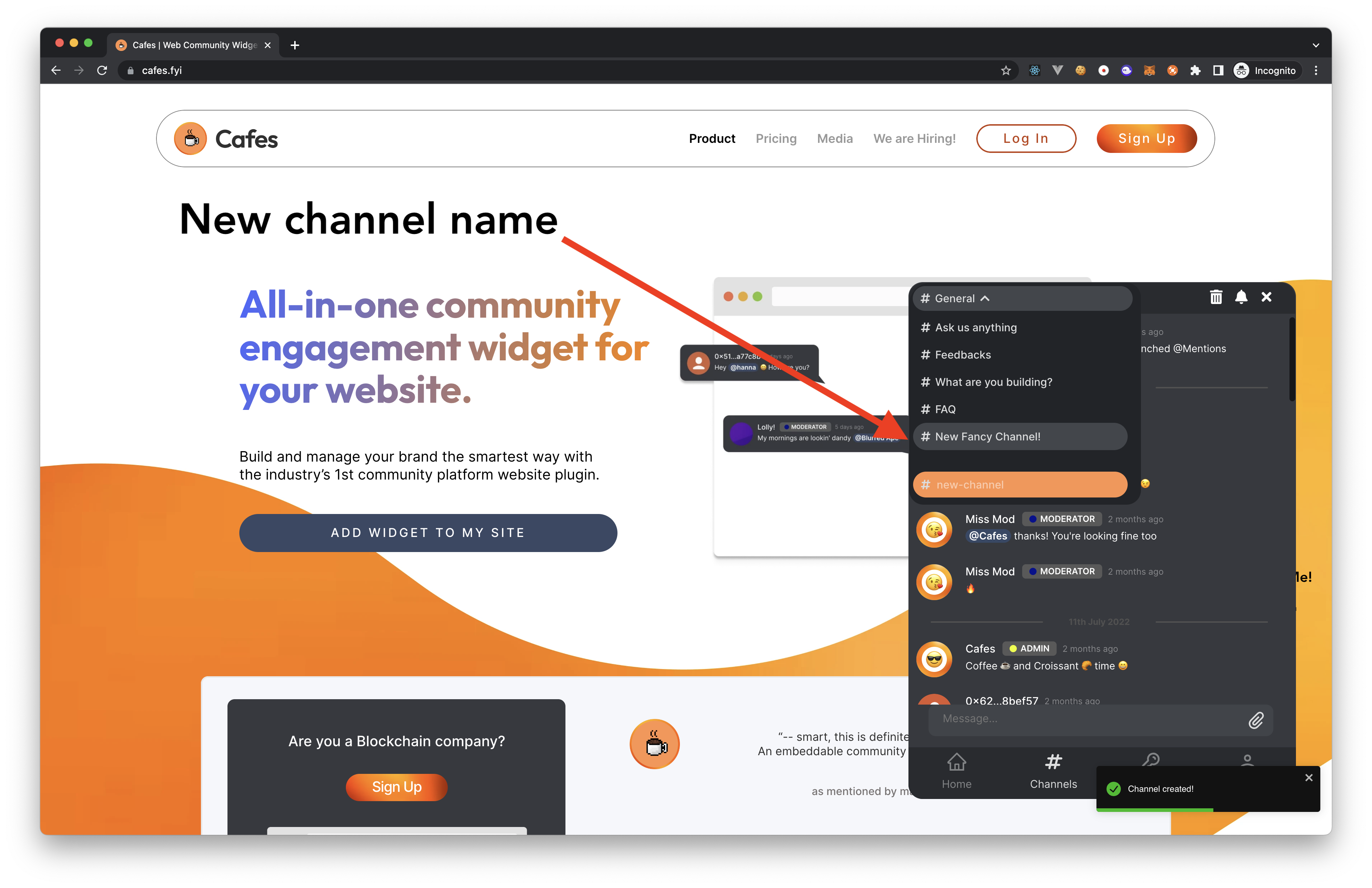
Fill in the name of the new channel you want to create and then hit the
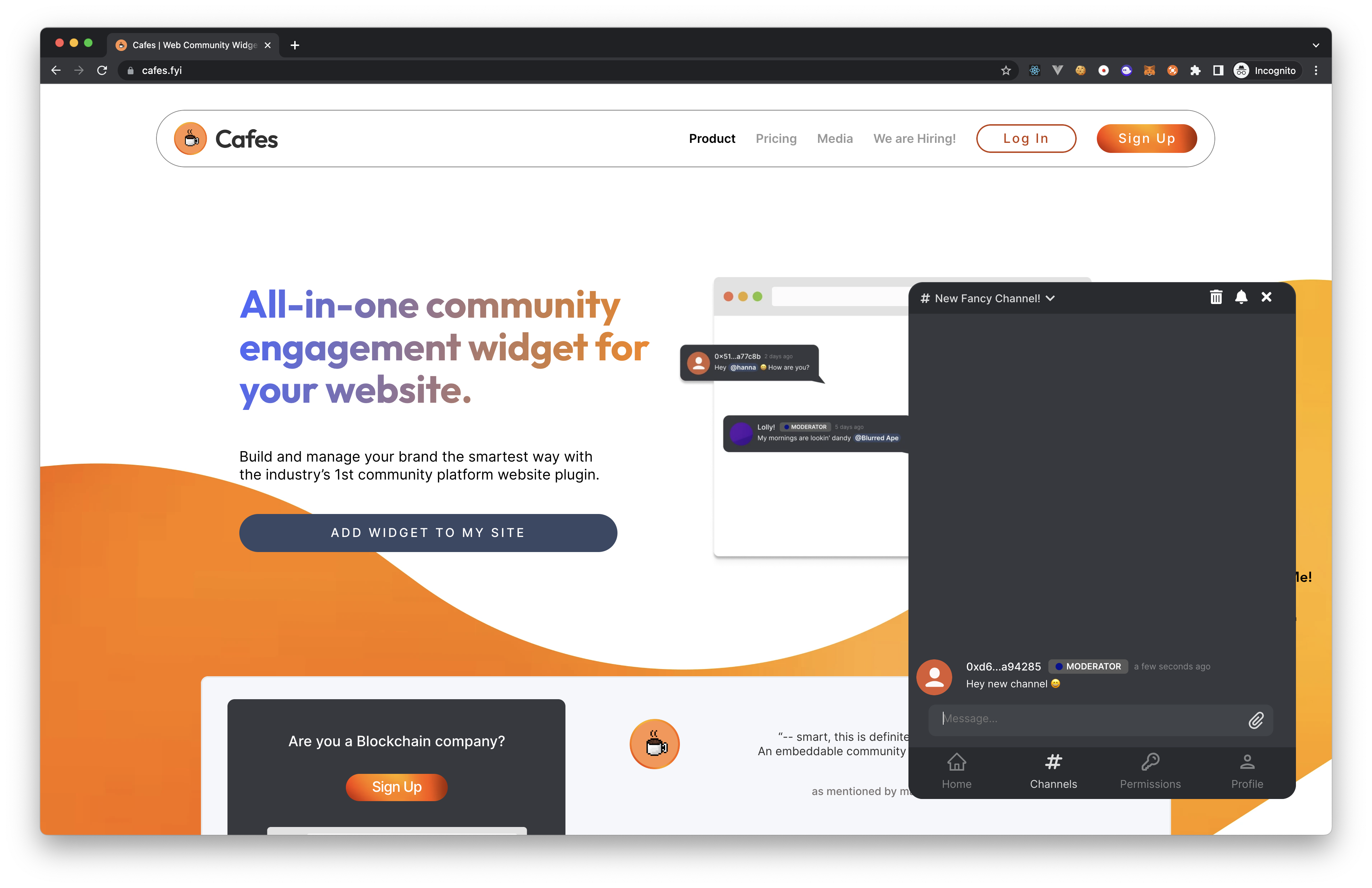
Enterkey on your keyboard. Voila! You have created a new channel in your cafe.